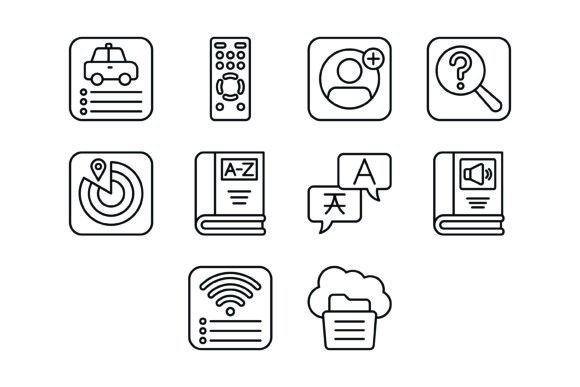
10 Essential Outline Icons Bundle: A Practical Evaluation for Modern Digital Projects
When building a digital interface, whether a mobile application, a website, or a presentation, the quality of your visual assets significantly influences user experience. The 10 Essential Outline Icons Bundle represents a specific approach to iconography, focusing on a curated set of fundamental symbols. This evaluation explores the bundle's contents, its practical applications, and the considerations you should weigh before integrating it into your workflow.
Understanding the Bundle's Core Components
At its heart, this bundle provides ten distinct vector icons, each designed with a clean, outline aesthetic. The selection includes a Compact Disc Icon, Flag Icon, Menu Icon, Camera Icon, Search Icon, Chip Icon, Chat Icon, Forward Icon, Cart Icon, and Compass Icon. These are not arbitrary choices; they represent common actions and concepts across digital platforms. The Menu and Search icons are navigation staples. The Cart and Chat icons are central to e-commerce and communication apps. The Compass and Camera icons serve location-based and media-centric functions. This curation aims to cover a wide range of fundamental user needs with a minimal, cohesive set.
A critical feature is the file format inclusion. The bundle is delivered in a zip file containing five formats: AI, EPS, JPG, PNG with a transparent background, and SVG. This versatility is a significant practical consideration. The vector formats (AI, EPS, SVG) are essential for scalability—they allow you to resize icons to any dimension without loss of quality, from a small mobile app button to a large printed banner. The PNG format provides a ready-to-use raster image with transparency, suitable for web and presentation slides where immediate deployment is needed. The JPG format, while less flexible due to its lack of transparency, can be useful in specific contexts. This multi-format approach ensures the icons can be adapted across different design software and project requirements.
Evaluating Practical Benefits and Use Cases
The primary benefit of this bundle lies in its focus on usability and readiness. Each icon is designed as a line icon, which typically offers a modern, clean, and lightweight aesthetic. This style often integrates well with minimalist design systems and does not overwhelm a user interface. The claim of being "ready to use for all devices and platforms" is grounded in the provided file formats. A developer can use the SVG for a responsive website, while a designer might use the AI file in Adobe Illustrator for further customization. The promise of "easy to edit and scale" is directly supported by the vector nature of the core files.
This bundle could be a strong fit for several scenarios. For prototype development, having a set of clean, recognizable icons can accelerate the mockup process. For small to medium projects with a defined scope, ten icons might suffice for core functionality without the overhead of a larger, more complex icon library. It is also suitable for educational purposes, where students or learners can study how well-constructed vector icons are structured across different file formats. Furthermore, for presentation design, these icons can add visual clarity without distracting from the content.
Key Considerations and Potential Tradeoffs
While the bundle offers convenience, a balanced evaluation requires acknowledging its limitations. The most obvious consideration is the limited quantity. With only ten icons, it is a compact solution. You must assess whether these specific ten icons align with your project's entire iconographic needs. If your application requires icons for "settings," "user profile," "notifications," or "download," this bundle alone will not be sufficient. In such cases, you would need to source additional icons from elsewhere, which could lead to stylistic inconsistencies.
Another consideration is the level of customization. While the vector formats are editable, the depth of editability depends on your design software proficiency. The icons are described as "outline" style. If your project's design system requires filled, dual-tone, or glyph-style icons, this bundle's aesthetic might not be the right match without significant redesign. It is also important to manage expectations regarding the "100 vector icons" mention in the features list. The bundle contains ten distinct icons; the "100" likely refers to the total number of files across all provided formats (e.g., 10 icons x 5 formats x 2 variations perhaps). Clarifying this before purchase is advisable to avoid misunderstanding.
Making an Informed Decision
To determine if the 10 Essential Outline Icons Bundle aligns with your goals, follow these practical steps. First, audit your project requirements. List every icon you will need. Compare this list directly to the ten icons provided. If the overlap is high, the bundle offers good value. If the overlap is low, a larger, more comprehensive icon library would be more efficient.
Second, evaluate the design context. Does your project's visual language favor thin, outlined icons? Would these icons maintain legibility at the smallest size they will be displayed? Test the provided PNG files in your prototype to see how they render on your target screens. Third, consider your workflow. If your team regularly works with Adobe Illustrator or other vector editing software, the AI and EPS files are valuable. If your workflow is primarily code-based for web development, having clean SVG files is a major advantage. The inclusion of multiple formats minimizes friction across different team roles.
Finally, assess the licensing and usage terms (though not detailed here, this is a crucial final step for any asset). Ensure the license permits your intended use, whether for a personal project, a commercial product, or a client deliverable.
In conclusion, the 10 Essential Outline Icons Bundle is a focused, practical toolkit for projects that require a small set of fundamental, well-designed icons in versatile formats. Its strength is not in volume but in the utility and adaptability of its core offering. It serves as an excellent starting point or a supplementary set for specific interface elements, particularly where a clean, outline aesthetic is desired. By carefully cross-referencing its contents with your project's specific needs and design system, you can make a clear-eyed decision about its suitability.